


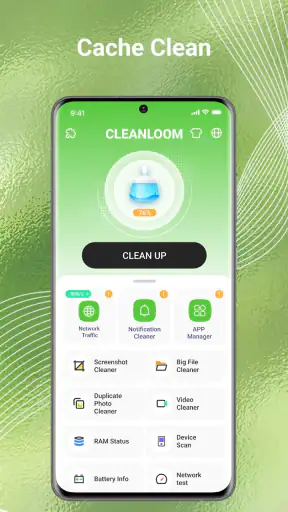
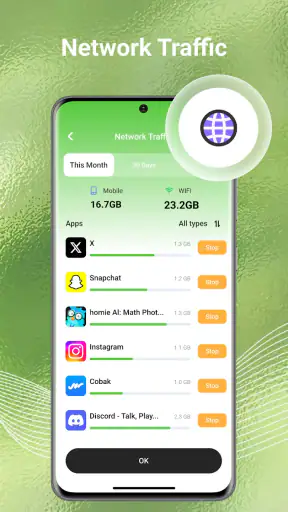
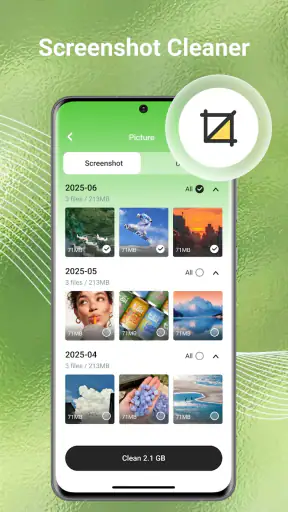
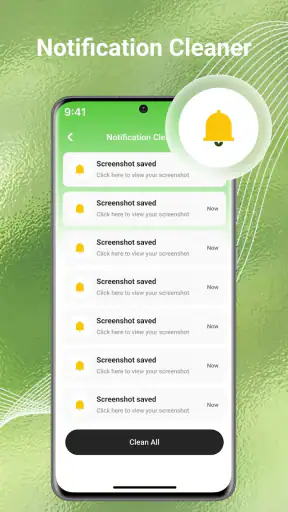
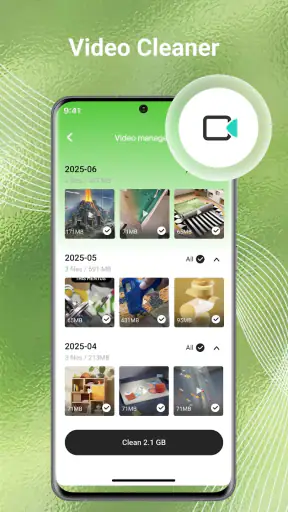
I usually judge a cleaning app by what happens after the first enthusiastic scan. Many tools can make a phone look tidier for a few minutes, but the real question is whether they remain useful when the clutter comes back. CleanLoom caught my attention as a free tools app from BetterFly Games because it brings photos, videos, and general files into one cleanup-focused experience rather than treating storage as a problem for only one type of content.
After spending time with it, my view is fairly balanced. CleanLoom is most convincing as a simple maintenance companion, not as a complete storage-management system. It can help people who regularly lose track of downloads, duplicate-looking media, and forgotten files. At the same time, anyone expecting deep file controls, highly detailed automation, or a replacement for the phone’s built-in file manager may find the experience less satisfying.
What CleanLoom feels like during the first week
The first appeal is easy to understand: the app gives a messy phone a clear task. Instead of opening separate folders and manually checking what can be removed, I can approach cleanup as a guided session. That matters for people who know their device is crowded but do not know where to begin.
The interface is aimed at everyday users rather than storage enthusiasts. Its purpose is visible quickly, and the focus on junk cleaning, photos, videos, and files makes the app feel more approachable than a traditional file browser. I would recommend starting with a review rather than immediately approving every suggested removal. A cleanup tool is only helpful when it reduces clutter without making the user nervous about losing something important.
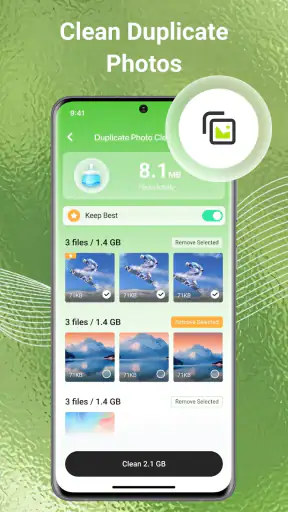
That cautious first pass is especially useful for media. A photo that looks unnecessary in a grid may still be the only copy of a receipt, a travel document, or a family memory. I found the best workflow was to treat CleanLoom as a sorting assistant: let it surface candidates, then make the final decision myself. This adds a little time, but it turns a potentially risky sweep into a manageable review.
For a realistic everyday example, imagine returning from a weekend away with a phone full of screenshots, short videos, messaging attachments, and several almost-identical photos. Rather than scrolling through the entire gallery at random, I would use CleanLoom to gather attention around the likely sources of clutter, remove obvious throwaways, and leave meaningful images alone. The value is not that the app magically understands every file; it is that it gives the cleanup session a starting point.
The app is free, carries an Everyone content rating, and runs on Android devices using version 7.0 or later. Those details make it accessible to a broad audience, including older phones that may not support newer utility apps. Its current version is V1.1.8, so I would still keep normal care around important files and avoid treating any cleaner as an automatic substitute for backups.
Where the early convenience comes from
CleanLoom combines several jobs that are often scattered across a phone. A built-in gallery may handle photos well but say little about downloads. A file manager exposes folders but expects the user to understand them. A dedicated cleaner may focus heavily on cache-like material while overlooking personal media. CleanLoom’s broader scope is useful because clutter rarely arrives in only one form.
I also like the psychological advantage of a focused cleanup session. When storage problems are left to the ordinary file manager, I tend to postpone them because every folder looks like work. A purpose-built tool lowers that initial resistance. The app turns “my phone is full” into smaller decisions, such as checking media first and then moving to other files.
Still, the first-week appeal can be stronger than the long-term benefit. The initial cleanup usually finds the easiest wins: old screenshots, forgotten downloads, and files that have not been opened for a long time. Once those are gone, later sessions depend on new clutter arriving. That is why I would not judge CleanLoom solely by how dramatic the first result feels.
Does it earn a place from month to month?
The lasting value depends on whether the app becomes part of a routine. CleanLoom is not something I would keep open every day. For most people, a short review every few weeks makes more sense than constant checking. The app works best when it supports a habit that already has a clear trigger, such as reaching low storage, finishing a trip, or completing a large media transfer.
My preferred routine would be deliberately narrow. I would use the app to review temporary-looking material and crowded media, but I would not ask it to make all organizational decisions. After a cleanup, I would also spend a moment naming or moving files that need to be kept. Deleting clutter without improving the remaining structure can make the next cleanup just as confusing.
One of the more useful insights is that a cleaner can expose a workflow problem rather than solve it. If the same screenshots and downloads return every month, the issue may be how files arrive on the phone, not the absence of a cleaning tool. In that situation, CleanLoom is valuable as a reminder to change the habit: delete one-off screenshots after using them, move documents into a known folder, and avoid keeping multiple exported copies of the same item.
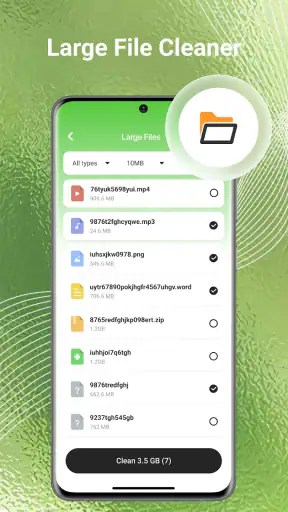
Another practical approach is to separate “easy to replace” files from “hard to replace” files. Temporary videos, duplicate downloads, and accidental screenshots are usually easier to evaluate. Personal documents, recordings, and original photos deserve slower inspection. CleanLoom can support that distinction, but the user still has to supply the judgment. That trade-off is important for anyone hoping for a fully automatic experience.
The app has reached more than 5 million installs and holds a 3.7 average from around 4.8 thousand ratings, with 103 reviews shown alongside the listing. I read those figures as evidence of real interest rather than proof that it will suit every phone. The rating suggests a mixed experience, which matches my own conclusion: the concept is useful, but the quality of a cleanup session depends heavily on how carefully the user reviews what is presented.
How it compares with ordinary alternatives
The built-in storage screen remains the better choice when I only need to see what is consuming space at a high level. It is already on the phone, usually feels trustworthy, and avoids adding another app to the routine. For a quick check of large categories, that simplicity is hard to beat.
A standard file manager is stronger when I need precise control. It is better for moving folders, renaming files, examining locations, and building a long-term filing system. The downside is that it can make cleanup feel like a manual investigation. CleanLoom is more inviting for the first pass, while a file manager is more capable when I already know exactly what I want to do.
Cloud photo services can be a better fit for someone whose main problem is an overflowing camera library and who wants storage management connected to online copies. That approach brings its own dependence on synchronization and account organization, so it is not automatically simpler. CleanLoom makes more sense for a person who wants to inspect local content directly and handle several kinds of files in one place.
I would also avoid installing it merely because a phone feels slightly slower. A cleaning app may help with clutter, but storage space, background activity, and device age are separate issues. If the real problem is an old battery, a demanding app, or a nearly full operating system partition, deleting a few files may not change the experience much.
The maintenance burden and the points that create fatigue
The main burden is decision fatigue. A cleaner can save time locating possible clutter, but it can also present a long stream of choices. The more personal the files are, the less comfortable I become with rushing. If every session requires opening many previews and second-guessing each suggestion, the app may eventually feel like another chore.
There is also a natural limit to repeated cleaning. The first session can feel productive because it removes accumulated mess. Later sessions may produce smaller gains, and that can make the app seem less useful even when it is doing exactly what a maintenance tool should do. I would measure success by preventing clutter from becoming overwhelming, not by expecting a dramatic result every time.
Privacy sensitivity is another reason to slow down. Photos, videos, and files are personal by nature. I would not grant trust automatically to any app just because its purpose is convenient. Before using CleanLoom regularly, I would read the permission prompts carefully, keep irreplaceable material backed up elsewhere, and review deletion screens rather than tapping through them. These are sensible precautions for any utility that examines local content.
People who want a one-tap “make my phone faster” button may become frustrated. CleanLoom’s useful role is organization and cleanup, not a guarantee of better performance. Likewise, users with a carefully maintained folder system may gain little from another layer of suggestions. In that case, the built-in tools already provide enough control, and adding a cleaner could create more interruption than benefit.
My strongest practical tip is to make the app part of an event-based routine instead of a vague promise to use it later. Review after a holiday, after downloading offline media, or when storage warnings appear. A second tip is to handle the obvious categories first and stop when the meaningful clutter is gone. Continuing simply because the app offers more items can turn a useful session into unnecessary micromanagement.
A third tip is to keep deletion and organization separate. First remove files that are clearly disposable. Then, in a different pass, move important material into folders or another storage location. Mixing both tasks makes it harder to tell whether a file was deleted intentionally or merely lost among a large batch of decisions.
Who should keep using it?
I think CleanLoom is a good match for Android users who regularly accumulate screenshots, downloads, shared media, and miscellaneous files but do not enjoy navigating folders. It is also suitable for someone helping a less technical family member establish a simple cleanup routine. The Everyone rating and broad Android compatibility make it approachable, while the free price removes the need to commit financially before trying the workflow.
It is less suitable for power users who need advanced file operations, detailed storage analysis, or a carefully controlled archival system. Those users will probably be happier with the native file manager or a more specialized tool that exposes folder-level detail. I would also skip it if my only goal were photo backup, because a backup service addresses preservation while CleanLoom is primarily about reviewing and reducing local clutter.
The developer, BetterFly Games, has positioned the app in the tools space rather than presenting it as a gallery replacement or a full device-management suite. That distinction helps set expectations. I would use it as one layer in a personal maintenance system: backup important content, review disposable material, and organize what remains. Relying on the cleaner alone would leave too much responsibility in one place.
My long-term verdict
After the novelty fades, CleanLoom earns lasting space only if I use it with a modest goal. It is not a miracle button, and it does not remove the need for careful decisions. Its strongest quality is the way it brings several clutter sources into a more approachable cleanup process. For people who avoid storage maintenance because the ordinary tools feel scattered or intimidating, that is a real advantage.
My recommendation is to try it for a focused first cleanup, then keep it only if the recurring routine feels lighter than using the phone’s existing tools. Schedule occasional reviews, protect important files, and treat suggestions as prompts rather than commands. If the app helps me prevent a pile of screenshots and downloads from becoming a crisis, it has done its job.
CleanLoom is worth keeping for users who need gentle structure around recurring cleanup, but not for anyone expecting deep control or automatic performance gains. With a 3.7 average and a growing user base, it sits in the useful-but-not-universal category for me. The free entry point makes experimentation easy, and its current V1.1.8 release gives it a fair chance to fit into a routine. Just remember that the app can surface the mess; the lasting improvement comes from the habits that follow.


